Microsoft Entra Conditional Access, managed at fleet scale.
Drift detection, sign-in impact analysis, MFA posture, and governed CA changes across every Entra tenant you connect - one production tenant or dozens of customers.
For MSPs and internal IT teams who operate Microsoft Entra Conditional Access (Entra ID P1/P2). Not for organizations that only need basic Microsoft 365 email and files.
- No credit card required
- 14-day Pro trial
- Global Admin needed only to connect a tenant
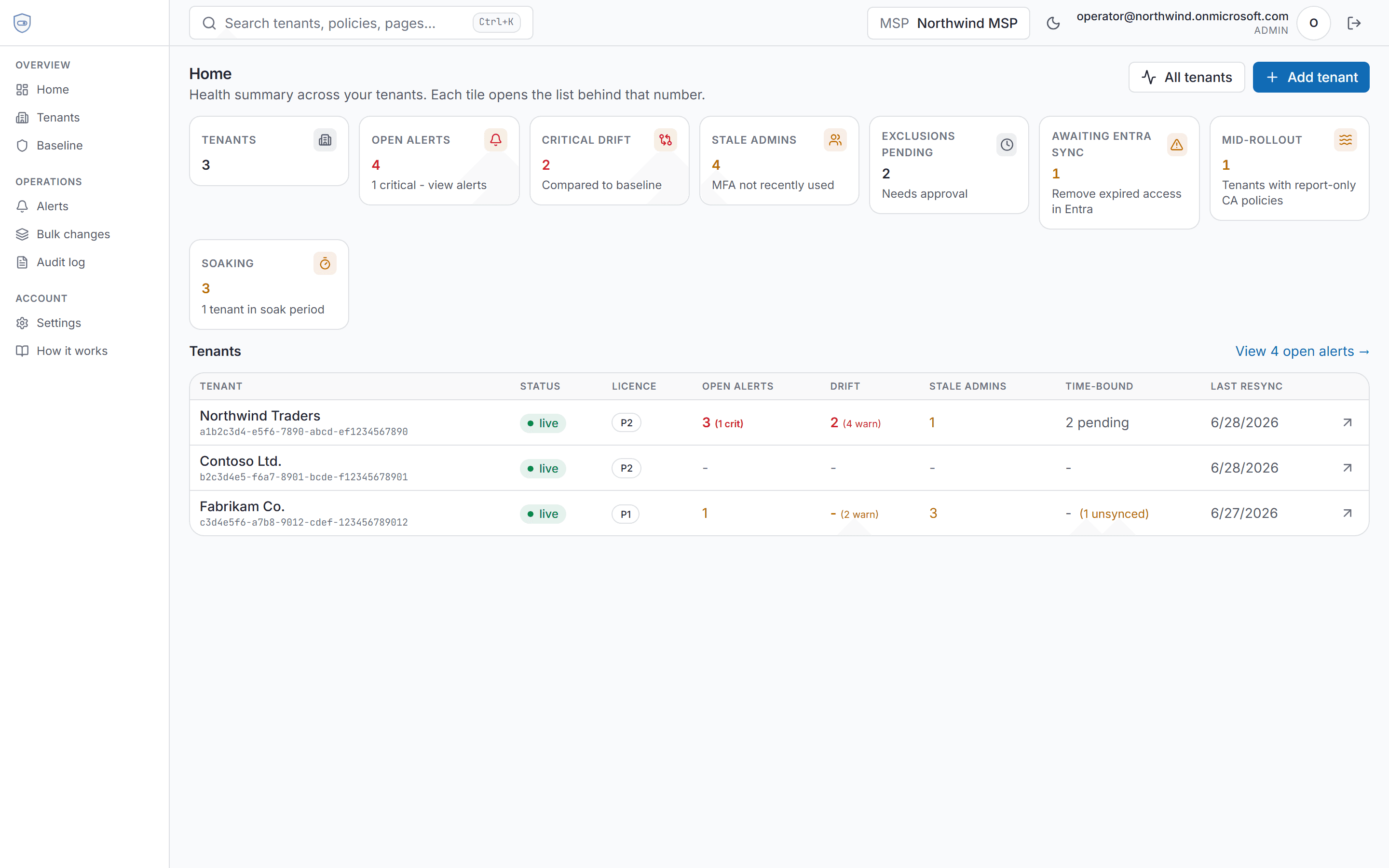
Built on Microsoft Graph and Entra ID P1/P2 · new tenants compare drift to an imported CA snapshot, or a workspace baseline you assign per customer
From connect to drift report the same day
Same flow for internal IT and MSPs - choose workspace type at onboarding.
1. Create your workspace
Sign up with your work email. New workspaces get a 14-day Pro trial - no credit card.
2. Connect an Entra tenant
Register a Graph app and grant admin consent in the customer or production tenant (a Global Admin must do this), then take the first policy snapshot - a guided, one-time setup of roughly 15 minutes per tenant.
3. Compare and model
See CA drift vs baseline, review MFA posture, and run impact analysis before any write reaches Entra.
Every CA change is a guess until someone gets locked out
The Entra admin center shows current policies. It does not show what changed last Tuesday, who would be affected by enforcement, or which travel exception expired silently.
Drift is invisible
Portal edits from three weeks ago surface at the next audit - or when something breaks.
Impact is unknown
Report-only to enforced is a coin flip until the Monday standup with 47 helpdesk tickets.
Exclusions linger
That Q1 travel exception and the contractor who left in March may still be in Entra groups.
Everything a CA review needs, in one console
Drift, impact, MFA posture, exclusions, and governed changes - the whole Conditional Access workflow across every connected tenant.
Drift detection
Snapshot Entra CA policies on resync and nightly backup. Compare to the tenant comparison baseline you assign at onboarding.
Impact analysis
Model who would likely be blocked before you enforce a CA policy - from recent Microsoft Graph sign-ins.
MFA posture
Per-user fresh, amber, and stale buckets with confidence labels - stale admins surfaced on the dashboard.
Exclusion workflow
Time-bound CA exclusion group membership with reason, approver, and scheduled Entra sync at expiry.
Sign-in viewer
Pass-through Microsoft Graph sign-in triage. Filter by UPN, see blocking policies, request exclusions.
Resync-backed alerts
Drift and portal edits when snapshots refresh. In-app on Pro; Slack, Teams, email, and webhooks on Enterprise.
Scoped tenant access, auditable changes
Workspace ownership is enforced server-side before tenant data returns. CA writes run through preview, optional approval, and snapshot-backed rollback.
- Tenant reads are scoped to your workspace on the server before any tenant data is returned
- Graph app credentials encrypted at rest (TLS in transit); privileged access only after tenant ownership checks
- Append-only audit log for administrative actions in Policytab
- Per-tenant Graph app in the customer Entra directory (single-tenant registration you control - no Policytab-wide multitenant OAuth app)
- CA changes run through preview, optional approval, and snapshot-backed rollback when supported
When you sign in, Policytab resolves your workspace on the server before any tenant list or policy data is returned. Another MSP or company workspace cannot read your connected Entra tenants, even if someone guesses a tenant ID in a URL.
Conditional Access writes always run through preview, optional second-admin approval, and snapshot-backed rollback - not direct portal-style edits.
Alongside the Microsoft Entra admin center
Keep Entra for identities and licensing. Run Conditional Access at scale here.
| Task | Entra admin center | Policytab |
|---|---|---|
| See Conditional Access drift across tenants | Manual policy review per tenant in the Entra admin center | Workspace dashboard with per-tenant comparison baselines and resync alerts |
| Predict impact before enforcing a policy | Report-only mode, then hope - or export sign-ins yourself | Impact analysis over recent Microsoft Graph sign-in logs before apply |
| Safe, auditable CA changes | Direct portal edits with no preview or rollback trail | Preview, optional approval, pre/post snapshots, snapshot-backed rollback |
See Conditional Access drift across tenants
- Entra admin center
- Manual policy review per tenant in the Entra admin center
- Policytab
- Workspace dashboard with per-tenant comparison baselines and resync alerts
Predict impact before enforcing a policy
- Entra admin center
- Report-only mode, then hope - or export sign-ins yourself
- Policytab
- Impact analysis over recent Microsoft Graph sign-in logs before apply
Safe, auditable CA changes
- Entra admin center
- Direct portal edits with no preview or rollback trail
- Policytab
- Preview, optional approval, pre/post snapshots, snapshot-backed rollback
Pay only for the tenants you connect
Pro from $9.99/mo includes your first connected Entra tenant. Internal IT with one production tenant pays the base price; MSPs add $10/mo per additional customer tenant.
Connect your first Entra tenant
Create your account, set up a workspace, and get 14 days of Pro - connect tenants, detect drift, and run impact analysis. No credit card required.
No standalone Free plan. After your 14-day Pro trial, choose Pro or Enterprise to keep using Policytab. Contact us · FAQ